The Rise of QR Code Security Concerns
As QR codes become ubiquitous, so do attempts to exploit them. Understanding the risks helps you use QR codes safely and protect your customers.
The good news: QR codes themselves aren't inherently dangerous. The reality: Like any link, they can lead to malicious destinations.
Types of QR Code Attacks
1. Phishing via QR (Quishing)
How it works: QR code leads to fake login page that steals credentials.
Example: Fake bank notice with QR code → lookalike login page → credentials stolen.
Warning signs:
- Urgent messaging ("Act now!")
- Unexpected QR codes in email/mail
- Requests for login immediately after scanning
2. Malware Distribution
How it works: QR leads to site that downloads malicious software.
Most common targets: Android devices with "unknown sources" enabled.
Protection: Keep phone updated. Don't enable risky settings.
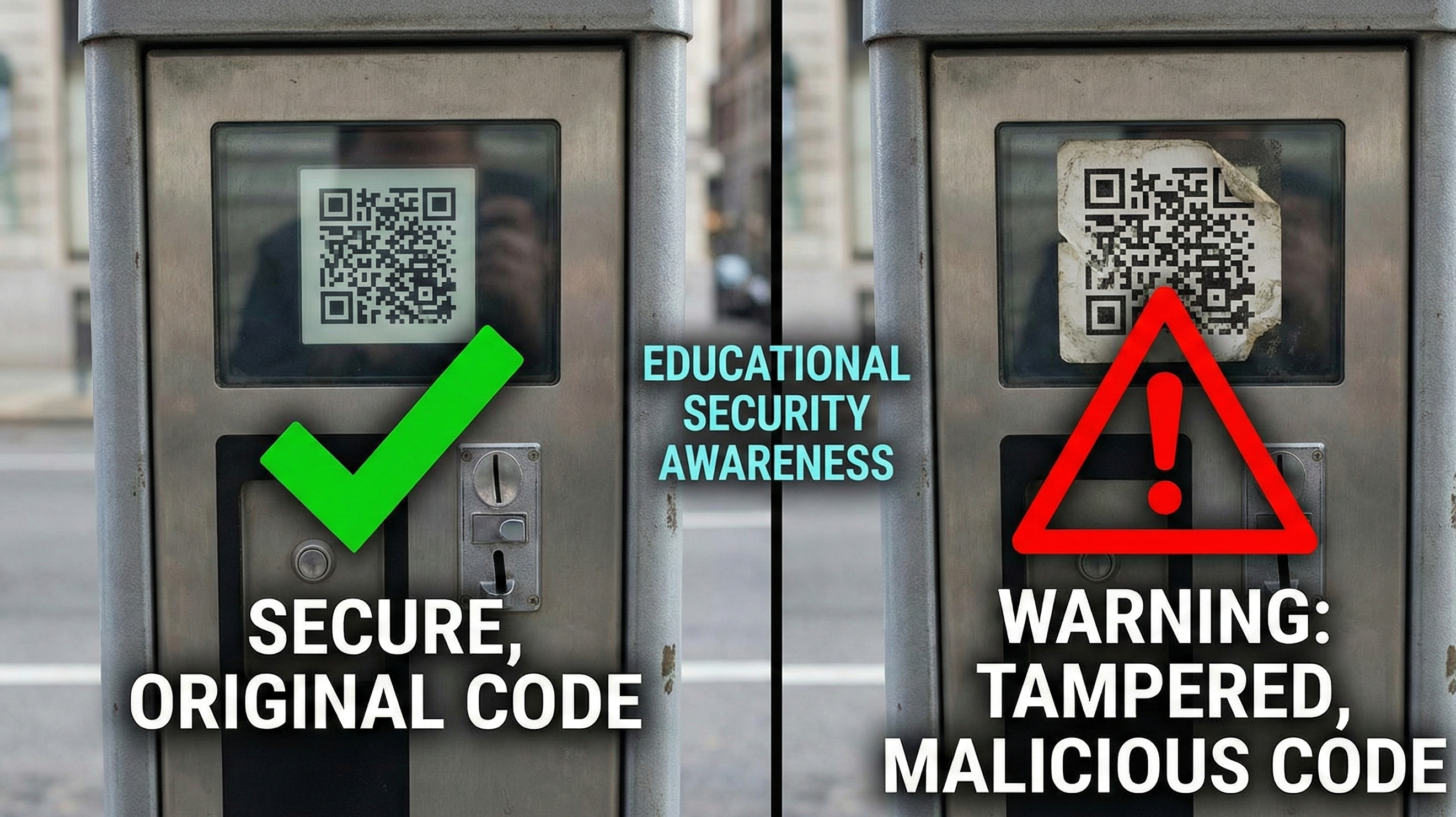
3. QR Code Overlay Attacks
How it works: Criminals stick malicious QR codes over legitimate ones.
Common locations: Parking meters, payment terminals, restaurant tables.
Warning signs:
- Sticker that looks added on top
- QR code that doesn't match the brand
- Poorly aligned placement
4. WiFi Credential Theft
How it works: Malicious WiFi QR connects you to attacker's network.
The risk: Attacker can intercept unencrypted traffic.
Protection: Verify network name before connecting. Use HTTPS sites.
How to Stay Safe as a Consumer
Before Scanning
Check the source:
- Is this QR code from a trusted business?
- Does it look professionally placed?
- Is there a legitimate reason for this QR code?
Look for tampering:
- Is there a sticker over another QR code?
- Does the code look physically different from surroundings?
- Is it suspiciously placed?
After Scanning
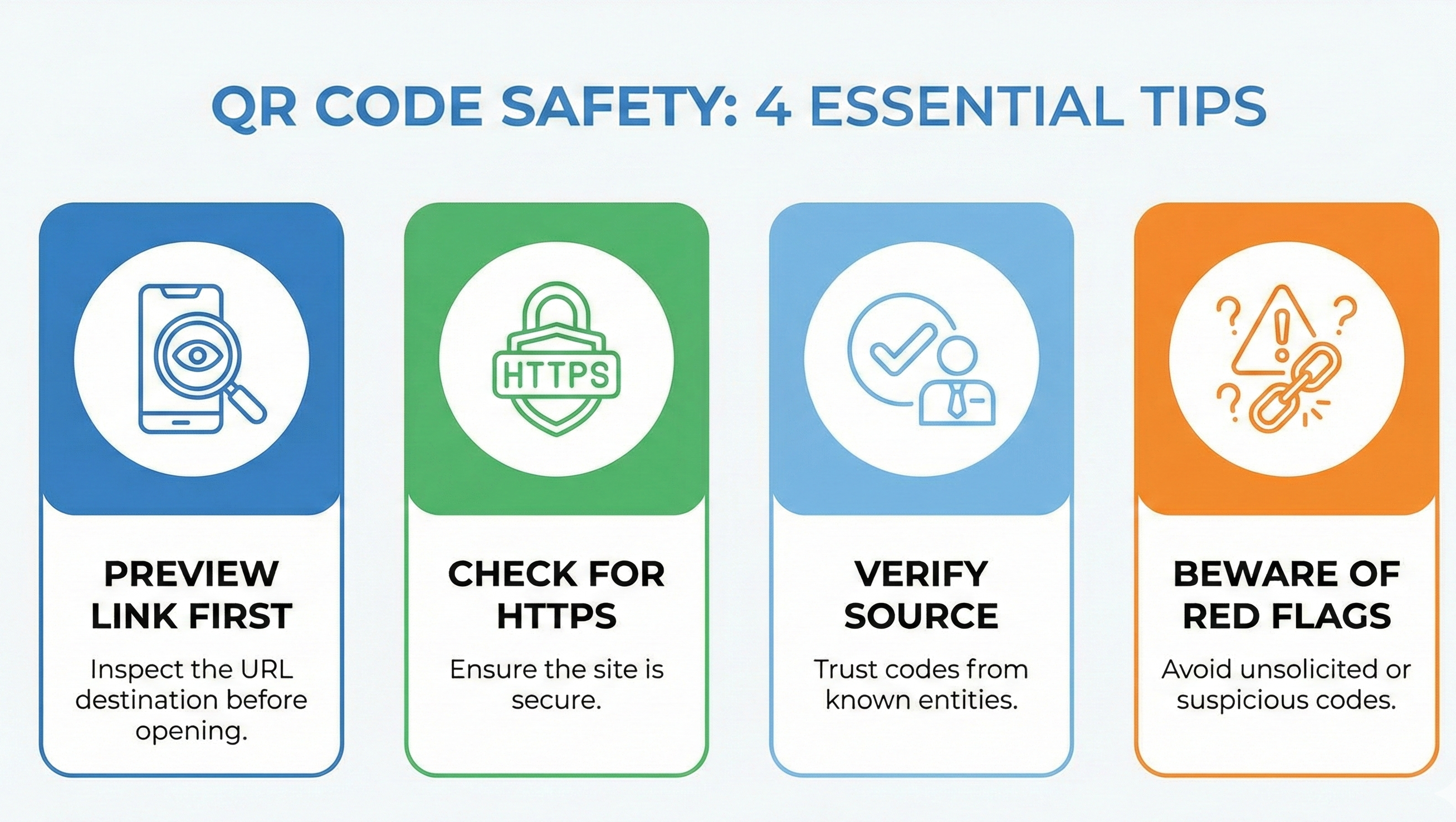
Preview the URL:
- Most phones show URL before opening
- Check that domain matches expected brand
- Look for typos (g00gle.com vs google.com)
Check for HTTPS:
- Legitimate sites use https://
- Browser should show lock icon
- Don't enter data on http:// sites
Watch for red flags:
- Immediate download prompts
- Login requests when unexpected
- Requests for unusual permissions
If Something Seems Wrong
Stop immediately:
- Close the browser tab
- Don't enter any information
- Don't download anything
If you already entered info:
- Change passwords immediately
- Monitor accounts for suspicious activity
- Consider fraud alert on credit reports
How to Protect Your Business
Creating Safe QR Codes
Use HTTPS destinations:
- All landing pages should be secure
- Get SSL certificate for your domain
- Redirect http to https
Use recognizable domains:
- yourbrand.com, not bit.ly/x7h3k
- Include your brand in the URL path
- Consider branded short domains
Monitor your codes:
- Regularly test that codes work
- Check destination hasn't been compromised
- Review analytics for unusual patterns
Preventing Overlay Attacks
Physical security:
- Print QR codes directly on materials (not stickers)
- Use tamper-evident materials for high-value codes
- Regularly inspect public-facing codes
For high-security applications:
- Use dynamic QR codes you can disable if compromised
- Include code identifiers for verification
- Train staff to spot tampering
Customer Education
Include trust signals:
- "This QR code leads to [yourbrand].com"
- Your logo near the QR code
- Instructions on what to expect
Clear instructions:
- "Scan to visit our official menu"
- "You should see 'Restaurant Name' in your browser"
- "Never enter passwords from QR codes in email"
Security Best Practices
For Consumers
| Do | Don't |
|---|---|
| Preview URLs before opening | Scan codes from unknown sources |
| Check for HTTPS | Enter passwords from email QR codes |
| Look for tampering | Download files from QR destinations |
| Use updated phone software | Ignore security warnings |
| Report suspicious codes | Assume all QR codes are safe |
For Businesses
| Do | Don't |
|---|---|
| Use HTTPS for all destinations | Use URL shorteners that hide destination |
| Print codes directly on materials | Use easily-replaced stickers |
| Include trust indicators | Assume customers know QR safety |
| Monitor codes for tampering | Set and forget QR campaigns |
| Use recognizable domains | Link to unexpected destinations |
What Makes Our QR Codes Safe
Direct encoding:
- We encode your URL directly—no redirect service
- You control the destination
- No third-party in the chain
No tracking on free tier:
- Your scans aren't logged by us
- No data collection
- Privacy by default
Transparency:
- What you enter is what gets encoded
- Preview exactly what's in your QR code
- No hidden redirects or parameters
Reporting Suspicious QR Codes
If you find a malicious QR code:
- Don't scan it (obviously)
- Document it: Take a photo of the location
- Report to the business: They may be unaware of tampering
- Report to authorities: FBI's IC3 for serious fraud attempts
- Warn others: Report on review platforms if public location
The Bottom Line
QR codes are safe when used correctly. The technology isn't the problem—social engineering is.
Stay safe by:
- Treating QR codes like any link (with appropriate skepticism)
- Previewing URLs before proceeding
- Verifying sources before scanning
- Keeping devices updated
Protect your customers by:
- Using secure, recognizable destinations
- Educating about what to expect
- Monitoring for tampering
- Responding quickly to reports